The AI sleep camera that doesn't upload.
SnoreCam captures short video clips when you snore, sleep-talk, or cough during the night — and captions each one with an on-device AI. Wake up to a 30-second highlight reel of your night.

First 3 nights free — no card. Your sleep never leaves your phone.
What SnoreCam does
Six things, done well — instead of fifteen things, done badly.
Detects what happens
Snoring, sleep talk, and coughing — auto-detected on-device by the microphone. A clip can also fire when the phone senses motion. Always listening, never uploading.
Records short clips
On-device AI watches all night — entirely on your phone, never uploaded. A 30-second clip is saved only when something interesting happens. Live frames are processed locally and discarded; only the trigger moments become files.
Captions with AI
An on-device AI describes each clip in plain English: "Sat up at 2:14 AM, mumbled briefly, lay back down." A vision-language model that runs on-device — no cloud round-trip.
Snore Score & trends
A nightly Snore Score (0–100) with a tappable intensity timeline — tap any clip dot to play that moment — plus a 7-night trend line so you can see whether less alcohol, side sleeping, or a CPAP appointment actually moved it. No cherry-picking, no "premium insights upgrade."
Writes to Apple Health
If you allow, SnoreCam writes the duration of each monitored night to Apple Health — bedtime and wake time only. No audio, no video, no captions. We never read anything from Health.
Morning highlight reel
Wake up to a 3–5 clip recap of your night with audio-only playback alongside the video. Star the funny ones to keep them. Forget the rest — they auto-delete after 14 days.
See it in action
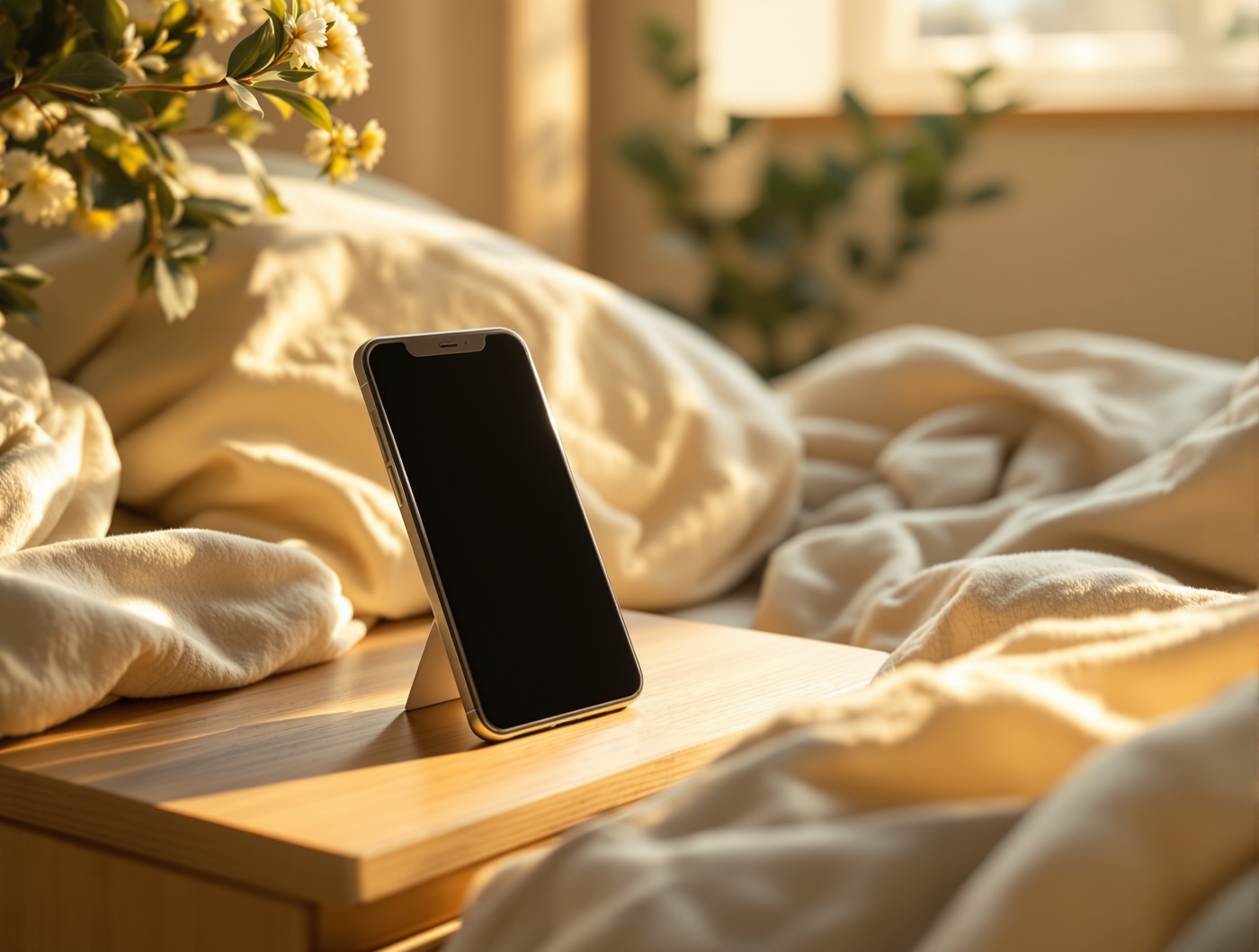
Twenty-one seconds, nightstand to morning — set it down, and wake up to your night, captioned.
We can't leak what we don't have.
The SnoreCam iOS app has no servers. No cloud. No tracking. Your clips are encrypted with your phone's passcode and stored only on your device. When you tap Share, iOS hands the clip to whatever app you pick. We still never see it.
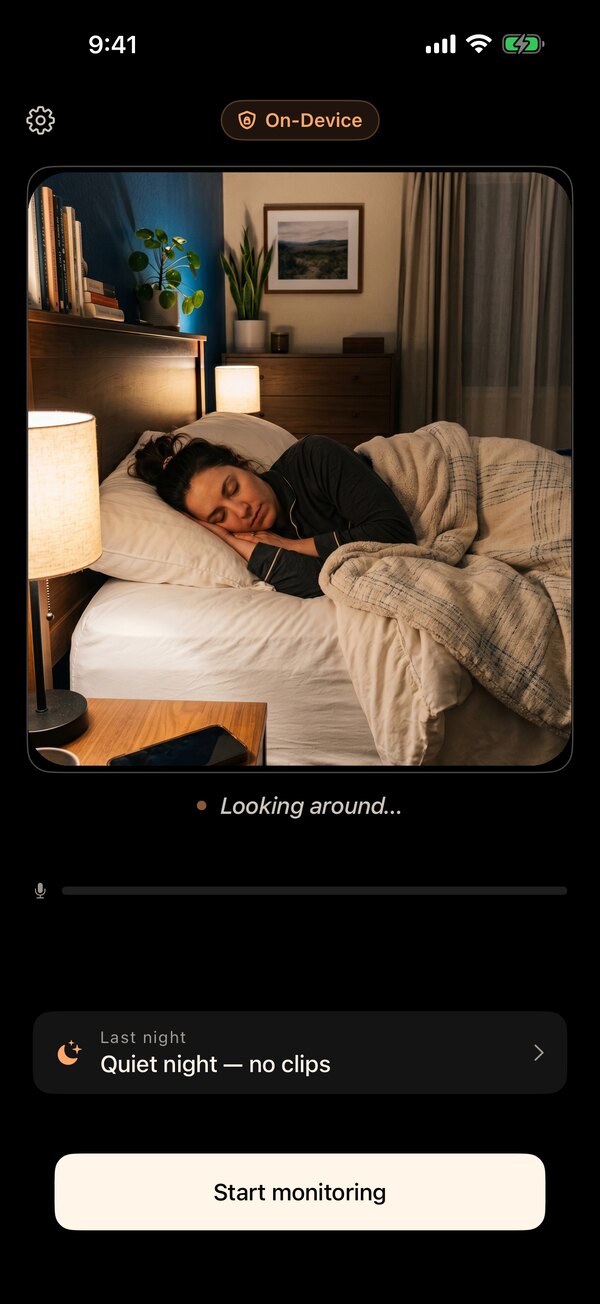
It watches all night — on the phone.
Prop your iPhone on the nightstand and the on-device AI watches the whole bed, captioning what it sees in plain English. No frame ever leaves your device — there's no server to send it to.
Wake up to your night.
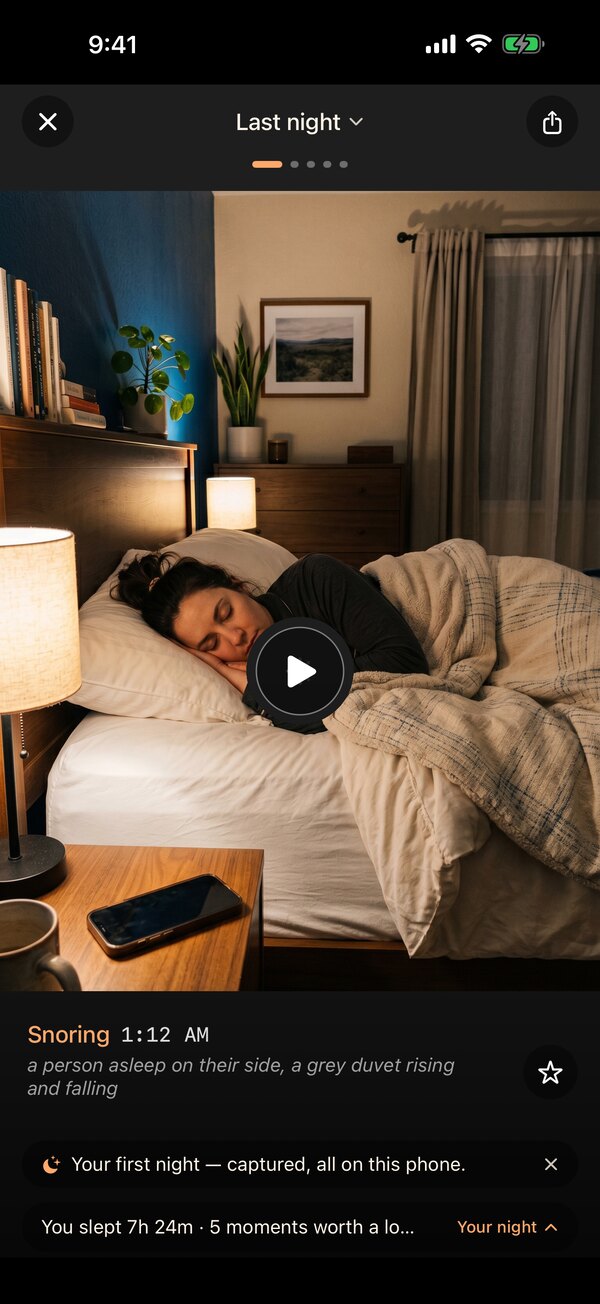
In the morning, SnoreCam hands you a 3–5 clip highlight reel — each moment captioned in plain English, with a nightly Snore Score and a tappable timeline of when you were loudest. Star the ones worth keeping; the rest auto-delete.
Three to five clips. That's the whole night.
No eight-hour video to scrub. SnoreCam keeps only the moments that mattered — each a short clip with a plain-English caption and the exact time it happened. Audio-only playback too, if you'd rather just listen.
See whether it's getting better.
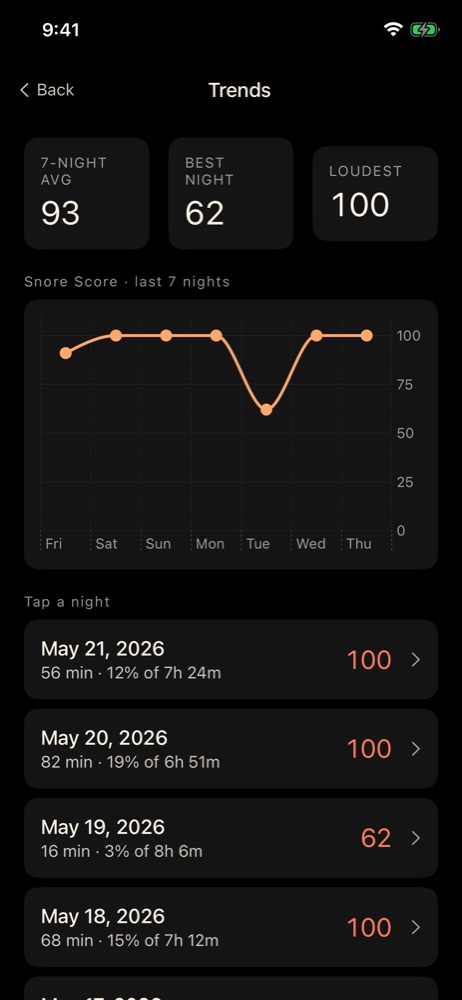
A nightly Snore Score (0–100) and a 7-night trend line, computed on-device from the mic. Tap any night to drop into its review — so you can tell whether less alcohol, side sleeping, or a CPAP appointment actually moved the line.
How it works
Prop your phone on the nightstand
Rear camera aimed at the bed. Plug it in (the night uses ~30% battery).
Tap "Start" and go to sleep
SnoreCam watches and listens for snoring, sleep talk, and coughing — the on-device AI runs all night, locally. Video clips are saved only when a trigger fires.
Wake up to your night, captioned
Open the app in the morning to see your highlight reel. Share the funny ones, forget the rest.
Pricing
Your first 3 nights are free — no credit card. After that, one subscription with two billing options.
Monthly
$9.99 / month
After your 3 free nights. No card to start. Cancel anytime in iOS Settings.
Yearly · Save 50%
$59.99 / year
About $5.00/month, paid yearly
Same 3 free nights to start. Best for nightly users.
Common questions
Does SnoreCam really not upload my videos?
Correct. SnoreCam has no servers, no cloud storage, and no upload code path. Your clips live encrypted on your phone and stay there. The only way a clip leaves your device is if you tap Share — and then iOS sends a copy to whatever app you choose (TikTok, Messages, etc.). SnoreCam itself still doesn't see it.
How is this different from a regular snore app?
Regular snore apps record audio and surface a score. SnoreCam does both of those — Snore Score (0–100), nightly intensity timeline, 7-night trends — plus the unique part: short video clips when audio or motion triggers fire, each one captioned in plain English by an on-device AI. You also get audio-only playback per clip if you'd rather just listen.
What is the Snore Score?
A 0–100 number we compute from how long you snored and how loud it was. Roughly: light snorers land around 20, moderate around 50, heavy around 80+. It runs entirely on-device from the mic stream — same number every time for the same audio. Trends show your last 7 nights so you can see whether changing a habit (less alcohol, side sleeping, a CPAP appointment) actually moves the line.
Does it write to Apple Health?
Only if you allow it during onboarding (or later, from Settings → Apple Health). The only thing we write is the duration of each monitored night — bedtime and wake time. No audio, no video, no captions, no Snore Score. SnoreCam never reads anything from Health.
What about my battery?
Plug the phone in. Mic + motion monitoring overnight uses ~30–40% of a typical iPhone battery; with the camera only triggering occasionally, you'll wake up at 70–80% if you forget to charge. We recommend keeping it plugged in anyway.
Front camera or back camera?
Back camera (rear main wide). Better low-light sensor than the front, and the wide angle captures the whole bed from a nightstand 2–3 feet away. Prop your phone with the screen face-down on the nightstand and the lens aimed at your bed.
How much does it cost?
Your first 3 monitoring nights are free with no credit card — and they don't have to be consecutive. After that it's $9.99/month or $59.99/year (about $5/month if you go annual — a 50% saving). Live preview and live captions stay free forever. Cancel anytime in iOS Settings.
Will it work for sleep apnea screening?
SnoreCam is not a medical device and does not diagnose sleep apnea or any other condition. If a partner has told you you stop breathing in your sleep, see a sleep physician — SnoreCam clips might be useful to bring along, but the diagnosis is theirs to make.
See what you do at night.
SnoreCam is on the App Store now. Your first 3 nights are free with no credit card — and nothing you record ever leaves your iPhone.
iPhone · iOS 26 or later. Cancel anytime in iOS Settings.